
Implementation Process
Process Overview
Yaspa products are designed to balance ease of implementation with the special care that processing payments needs. Sales and Solutions personnel are directly involved from start to finish, to ensure a high-quality integration and a smooth launch.
The complete sales and integration process can take as little as 6 to 8 weeks. It generally follows the framework in the diagram below, with critical cross-functional dependencies shown by black arrows.
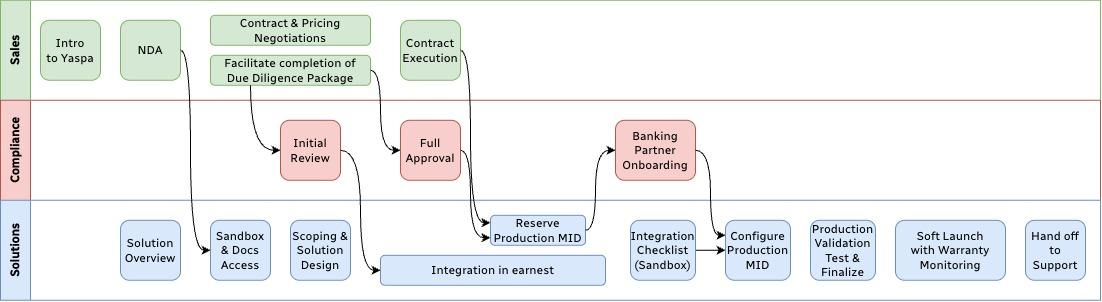
Implementation process
Integration Checklist
Once the project is scoped, Yaspa provides a set of test cases relevant to the integration and a customized integration checklist. Before issuing production credentials, the Yaspa Solutions team coordinates a session to execute a number of test scenarios and review the integration in Sandbox, to confirm that it works according to specification. A small subset of these tests will be run in production as well to ensure that the integration has been released and configured properly prior to public launch.
Testing
Yaspa's sandbox Test Bank simulates each of the success and exception scenarios in this guide without needing a real bank or moving funds.
To test, start a normal transaction in the test environment and search for US Test Bank. When you are redirected to the Test Bank, select from the available accounts to simulate the corresponding scenario.
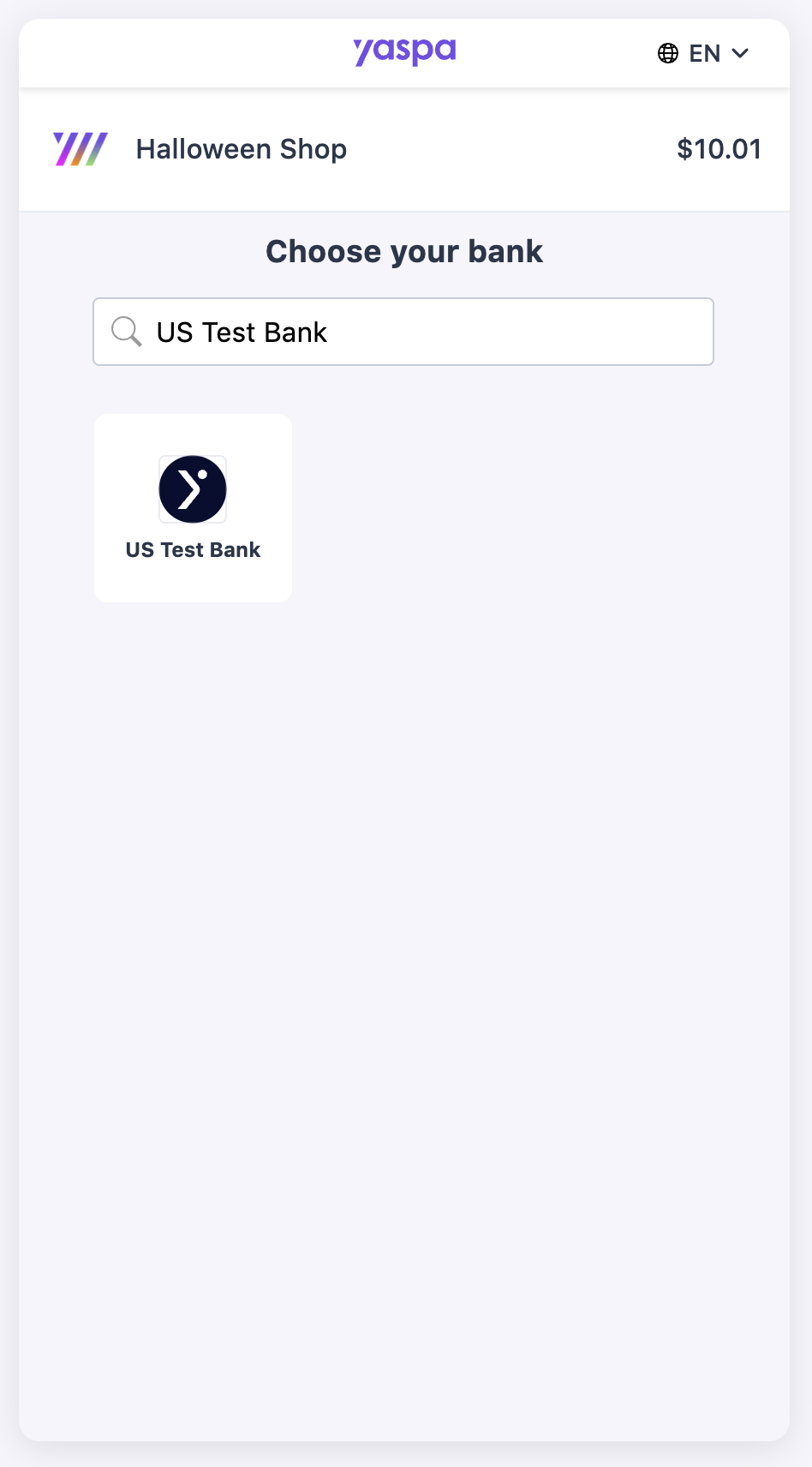
Select bank
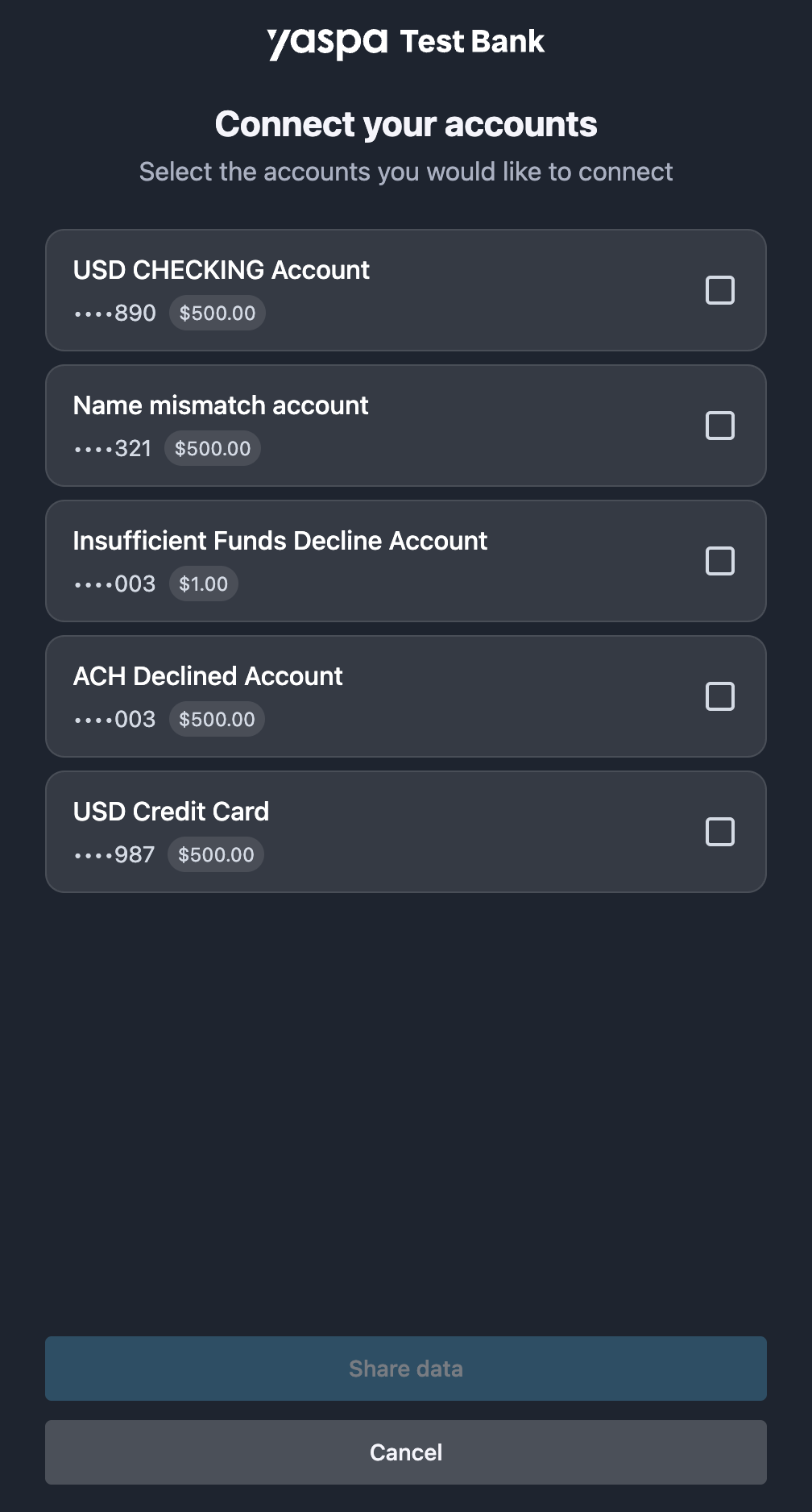
Account list
Please note that the Sandbox and US Test Bank closely simulate production with several caveats for tester convenience:
- Webhooks: The Sandbox moves transactions through their status models very quickly. For example, a return scenario fires all the webhooks, including a late return, in a short time. This is to speed up testing. In Production, transaction statuses follow conventional timelines.
- Name matching: Yaspa checks that the name on the bank account matches the name the merchant provided in the
customerDetailsobject. The name matching algorithm is configurable to allow or restrict variations like nicknames. This feature is enabled in the test environment as well, but the Test Bank will accept any name provided in the request by default. To simulate name match failure, select the “Name mismatch account” which is hard coded with a nonsensical name to force a mismatch. - Non-OAuth: The US Test Bank (Non OAuth) uses credentials to trigger different login experiences. The username is not considered. The following passwords trigger specific scenarios, while any other password results in success:
deniedandunauthorizedshow errors on the login screen. Use a different value to continue.mfashows various multi-factor authentication options. Select one to continue, and enter or selectcorrectto resolve the challenge.
Updated 4 days ago