
User Experience
Yaspa's user experience
Yaspa's hosted flows are a modern open banking user experience where:
- The bank selection page is organized with top institutions towards the top and a familiar icon for each.
- Additional context and required acknowledgements, such as privacy policies and terms of use, are clearly placed at appropriate stages of the flow.
- The customer can change language settings or cancel the flow at any time.
If there is a soft decline, the hosted experience guides the customer towards resolution in-session. When a payment must be terminally declined, customers see clear error messaging before Yaspa redirects them back to the merchant.
Yaspa supports both OAuth and credential-based (non-OAuth) flows within the hosted journey. Both take place between the arrows in the screens below. The flow depends on what the customer's bank supports, so returning users and customers who have used open banking before follow a familiar journey. The sections below describe and show each flow.
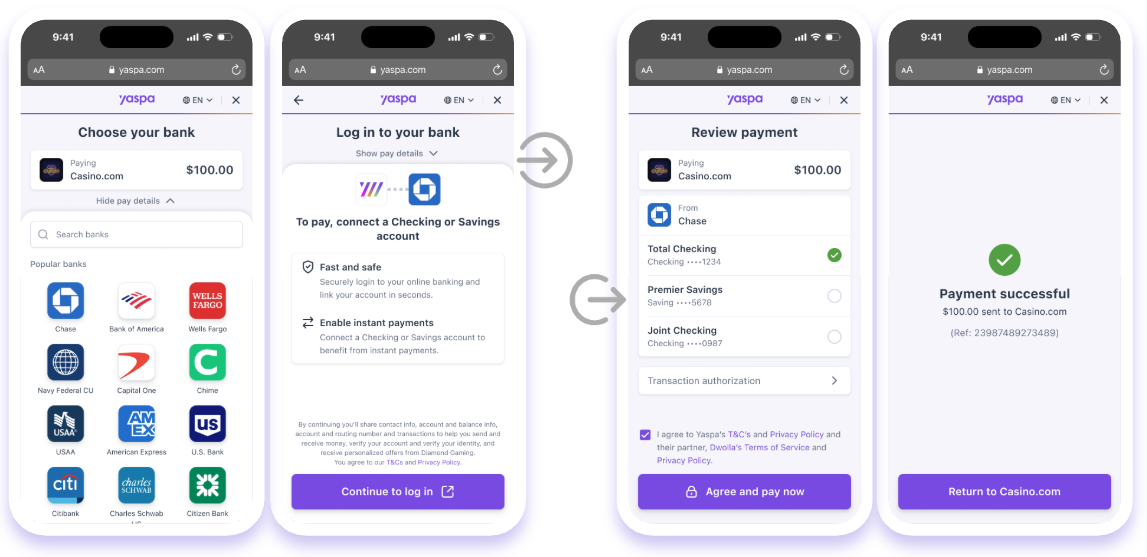
Hosted flow
OAuth
A growing number of the largest banks in the United States support OAuth authentication. The Yaspa hosted page redirects the customer to the bank's website or mobile application, where they authenticate and authorize account data access. Once the customer completes the bank's OAuth process, the bank redirects them back to Yaspa to finish connecting the account or accounts and submit the payment.
Because of the number and size of the banks that support OAuth, most customers follow this flow. The screens below show an example of the sequence.
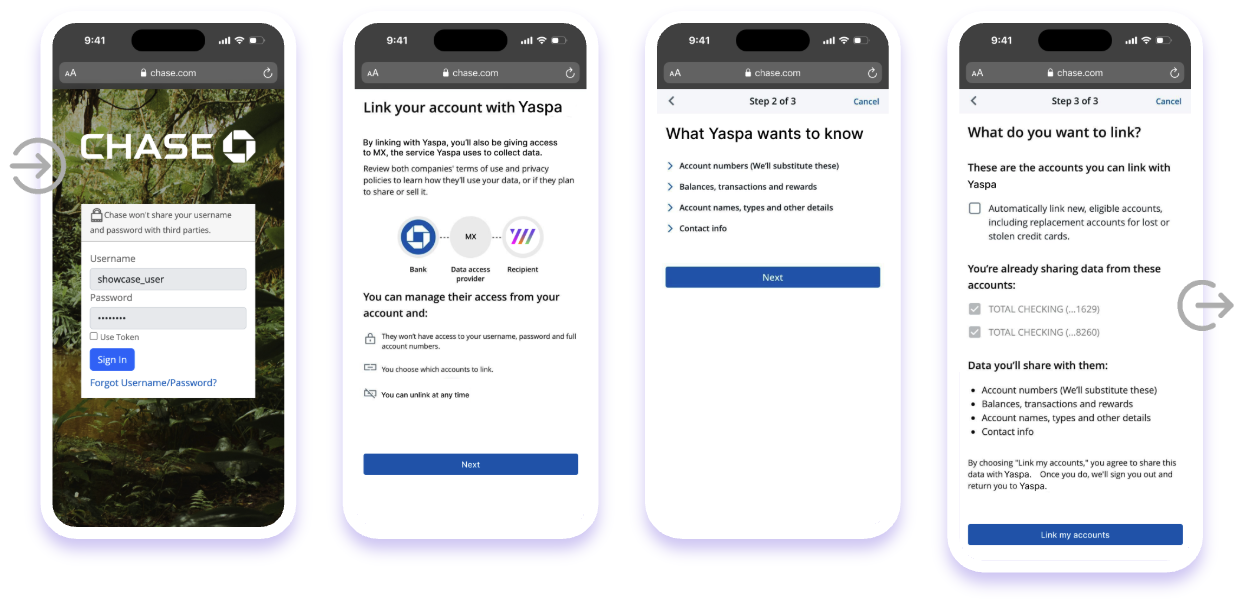
OAuth flow
Some banks that require OAuth have strict minimum browser and web container version requirements. To avoid interrupting the OAuth journey because of bank security requirements, do not open a Yaspa hosted payment page in a WebView or other legacy container. If the OAuth session opens in an unsupported container, the bank blocks authentication and the customer will be unable to authorize the payment.
Known supported methods:
- ASWebAuthenticationSession (iOS mobile applications, iOS 16 and later)
- Chrome Custom Tabs (Android mobile applications, Android 10 and later)
- Apple Safari 16.6 and higher
- Google Chrome 130 and higher
- Microsoft Edge 132 and higher
- Mozilla Firefox 128 and higher
Non-OAuth
For other banks, customers log in to their accounts directly within the Yaspa hosted journey. The hosted journey also handles any challenges, such as multi-factor authentication, within the session, as shown in the sample screens below.
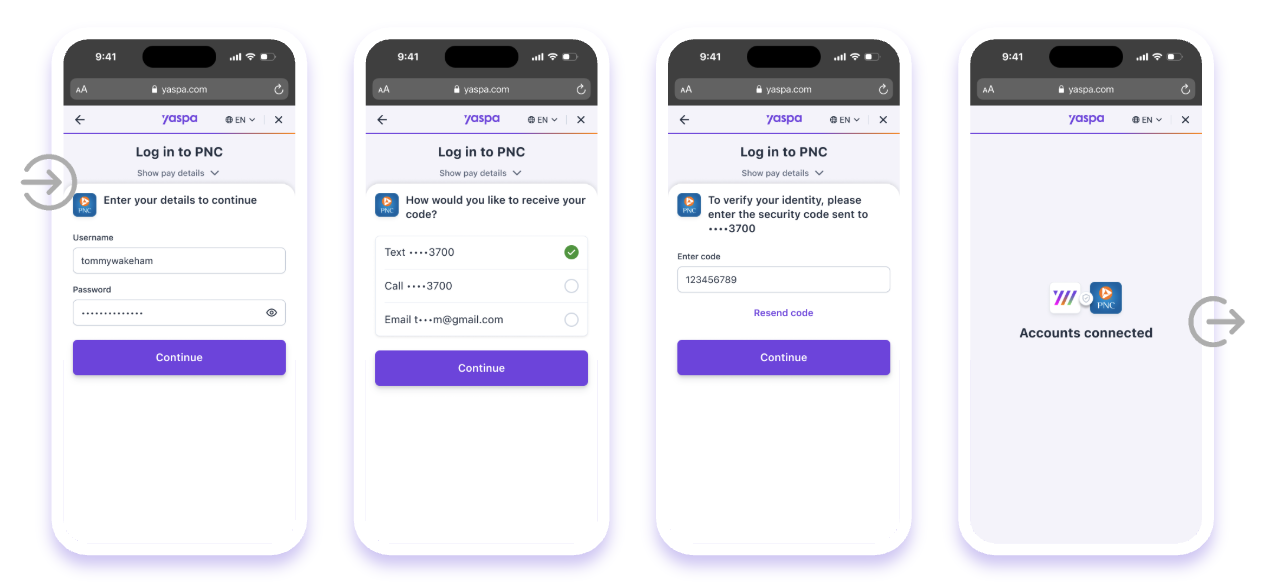
Non-OAuth flow
Customer-facing transaction emails
In accordance with the rules of Yaspa's banking partner, Yaspa sends emails directly to customers with information about the transactions they have completed, as in the template below.
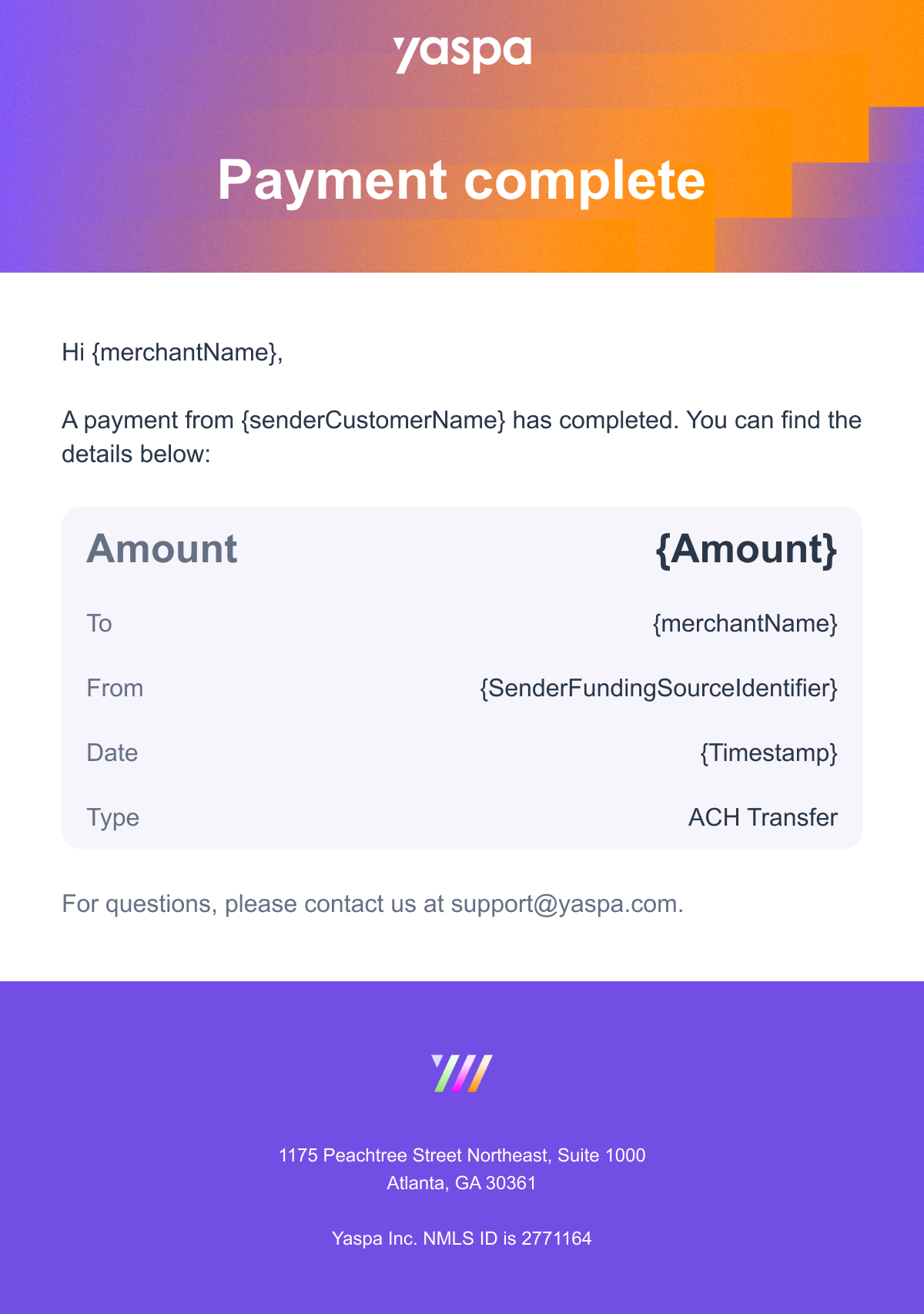
Transaction email
Merchant user experience design
Yaspa works with merchants directly during integration to agree on the best placement, branding, and user experience design. General guidelines:
- Show the payment method as Pay by Bank at checkout. Including the word "bank" signals a secure, familiar payment route, which reduces hesitation and makes customers more likely to choose it.
- Use Yaspa's optimized payment buttons, which are available to download. Research shows that showing local, familiar bank icons increases clicks, improves conversion and builds trust with customers.
- Tags such as "New" or "Recommended" and a prominent position for Pay by Bank at the top of the available payment methods can draw customers' attention to the method and increase adoption.
- For returning users, place Yaspa with the accounts on file and/or pre-select it if it was the most recently used method to speed up the journey.
- Consider hiding, disabling, or graying out the Yaspa button if the requested amount exceeds the transaction limit.
The screens below show the first-time user (Yaspa placed and tagged) and the returning user (Yaspa pre-selected).
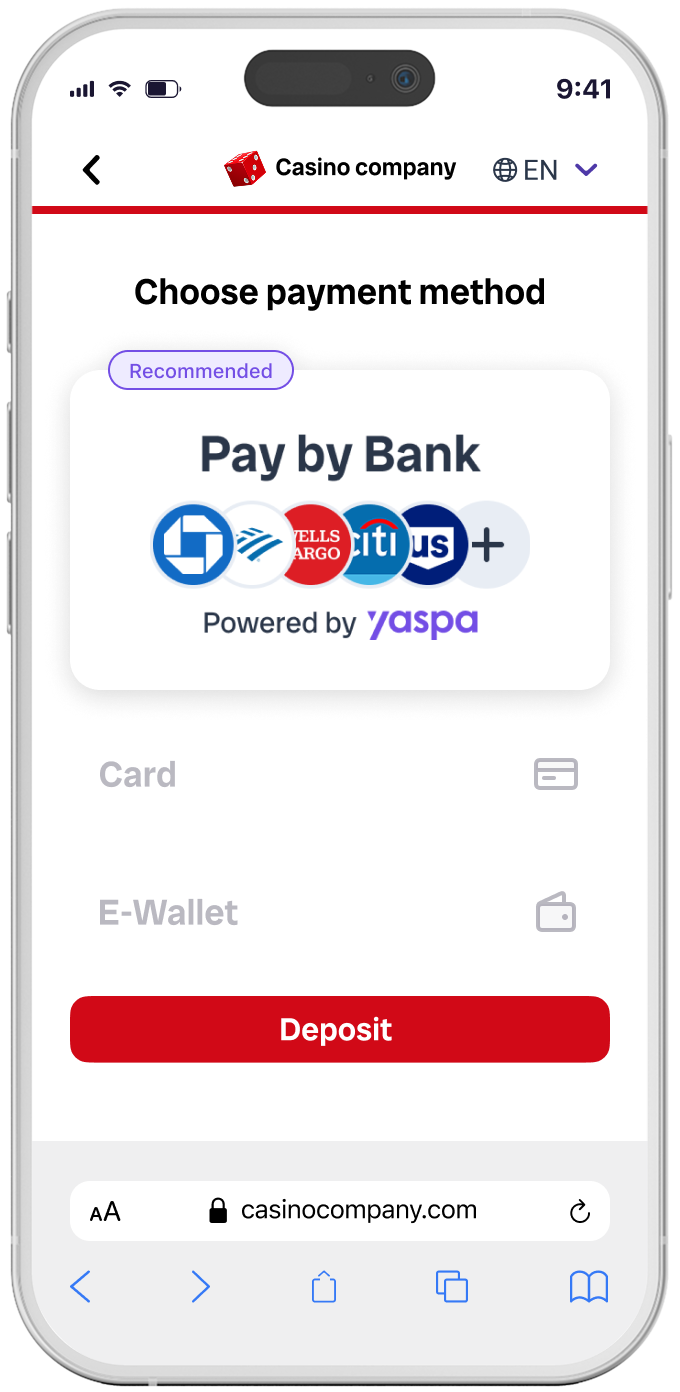
Placed and tagged for first time user
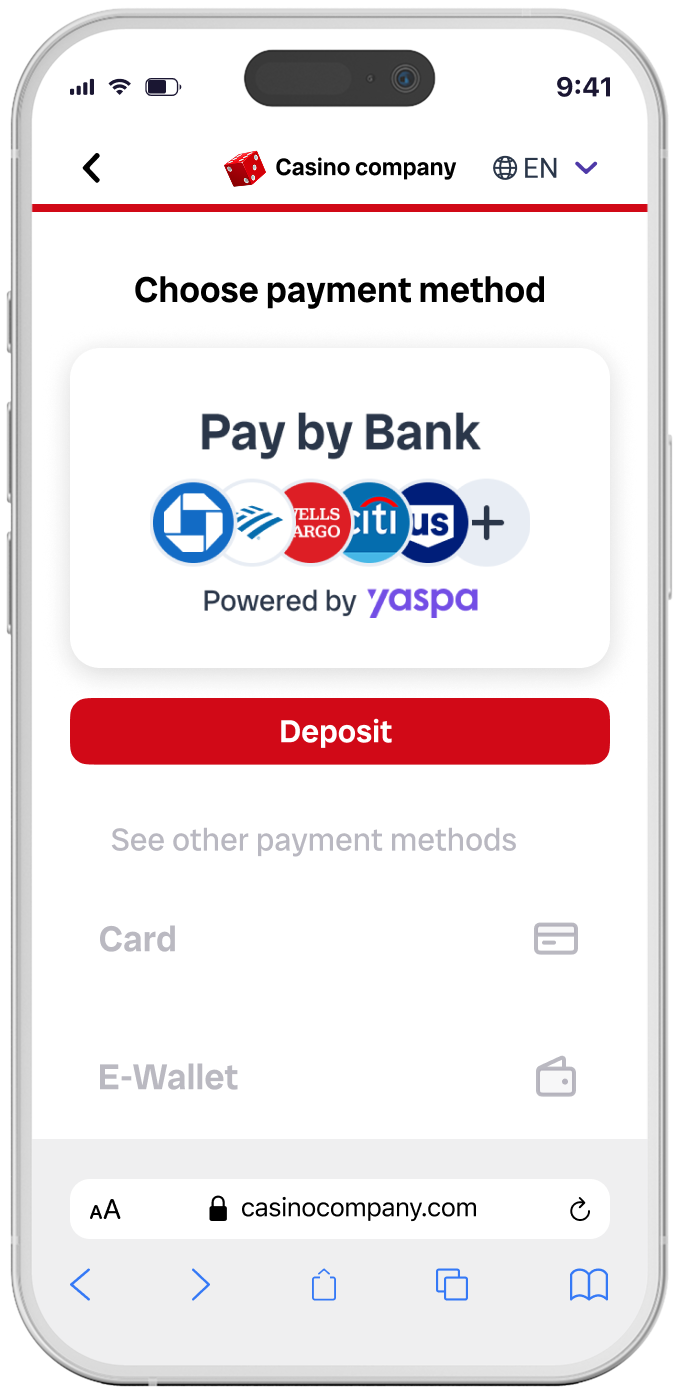
Pre-selected for returning user
Updated 4 days ago